Category: Technology

  • Castle App Explained: A Beginner’s Guide

    Castle App Explained: A Beginner’s Guide

    Castle App is a security-focused application designed to protect websites and online platforms from fraudulent activities, unauthorized access, and other cyber threats. It primarily serves businesses that require robust user authentication and fraud prevention mechanisms without compromising the user experience. By integrating Castle into a website or app, companies can enhance their security protocols through intelligent risk assessment and adaptive authentication processes.

    At its core, Castle App uses machine learning algorithms to analyze user behavior in real time. This analysis helps identify unusual patterns that may indicate malicious intent or account takeover attempts. For example, if a login attempt comes from an unfamiliar device or location, Castle’s system evaluates the risk level before granting access. Depending on the assessed threat, it may prompt additional verification steps such as two-factor authentication (2FA) or block the attempt altogether. This dynamic approach ensures legitimate users enjoy seamless access while potential attackers face stringent barriers.

    One of Castle’s notable features is its ability to integrate easily with existing web applications via APIs and SDKs. Developers can embed its functionality without extensive modifications to their codebase. The platform supports multiple programming languages and frameworks, making it versatile for various development environments. Additionally, Castle provides detailed dashboards where administrators can monitor security events, review flagged activities, and adjust policies according to evolving needs.

    Castle also focuses on minimizing friction during user interactions by applying risk-based authentication selectively rather than universally enforcing strict controls on every login or transaction. This means trusted users are less likely to encounter unnecessary hurdles while suspicious actions trigger heightened scrutiny automatically. Such balance between security and usability is crucial for maintaining customer satisfaction alongside protecting sensitive data.

    Beyond login protection, Castle extends its capabilities to cover other critical areas like sign-up validation and transaction monitoring. During registration processes, it detects fake accounts created by bots or malicious actors attempting to exploit promotional offers or gain unauthorized benefits. In transactional scenarios-such as purchases or fund transfers-it assesses each action’s legitimacy based on historical behavior patterns and contextual signals.

    Overall, castle app offers a comprehensive solution tailored for organizations seeking proactive defense against digital threats without sacrificing convenience for end-users. Its combination of advanced analytics, adaptive responses, easy integration options, and insightful reporting equips businesses with tools necessary for maintaining secure online environments in today’s increasingly complex cyber landscape. Beginners exploring this tool will find it approachable due to clear documentation and supportive resources provided by the developers alongside community forums fostering knowledge exchange among users worldwide.

  • MacBook Neo: Apple’s First Budget Laptop Hits the Sweet Spot

    MacBook Neo: Apple’s First Budget Laptop Hits the Sweet Spot

    A surprise from the cheap‑end

    Apple’s newest entry‑level laptop, the MacBook Neo, landed on March 11, 2026 and it’s already being hailed as the best value laptop in its segment. Priced at $599 (or $899 for the higher‑spec model) and powered by the same A18 Pro silicon that runs the iPhone 16 Pro, the Neo proves that Apple can squeeze performance, design and battery life into a budget‑friendly package, without the usual flagship bells and whistles.

    What makes the Neo stand out

    Performance that belies the price

    The six‑core CPU and five‑core GPU of the A18 Pro deliver fluid web browsing, crisp video calls and even decent 1080p video editing. The 16‑core Neural Engine speeds up everyday AI tasks, making the Neo feel snappy for a laptop that costs less than most Chromebooks.

    Premium aluminum, no‑fan silence

    A solid aluminum chassis gives the Neo a heft and feel that rivals higher‑priced MacBooks. Inside, the fanless design keeps the machine whisper‑quiet while still extracting enough performance for typical student and casual‑user workloads.

    Liquid Retina brilliance

    A 13‑inch, 2408 × 1506 Liquid Retina panel pushes 500 nits of brightness and a full P3 color gamut. In the $600 price bracket, that display outshines most Windows competitors, making media consumption and photo editing a pleasure.

    Battery life that actually lasts

    Apple quotes up to 16 hours of video playback on a 36.5Wh cell. Real‑world tests confirm a full workday on a single charge, even with Wi‑Fi 6E and Bluetooth 6 active.

    The compromises you’ll have to accept

    Port scarcity

    The Neo ships with two USB‑C ports, one full‑speed 10 Gbps/DisplayPort and one USB 2.0‑speed connector, plus a 3.5 mm headphone jack. No MagSafe, no Thunderbolt and no HDMI means you’ll likely need a dongle for external displays or fast peripherals.

    Keyboard backlighting is missing

    Apple’s Magic Keyboard is solid, but the lack of backlighting is a noticeable omission for anyone who works in dim environments.

    Memory and storage are fixed

    All models come with 8GB of unified memory and either 256GB or 512GB of SSD storage. There’s no upgrade path, so power users may outgrow the base configuration quickly.

    Specs at a glance

    Spec Detail
    Chip Apple A18 Pro (6‑core CPU, 5‑core GPU, 16‑core Neural Engine)
    Memory 8GB unified (non‑upgradeable)
    Storage 256GB / 512GB SSD
    Display 13‑inch Liquid Retina, 2408 × 1506, 500 nits, P3
    Battery 36.5Wh, up to 16 hr video playback
    Ports 2 × USB‑C (10Gbps/DP + USB 2.0), 3.5mm jack
    Connectivity Wi‑Fi 6E, Bluetooth 6.0
    Colors Silver, Blush, Citrus, Indigo
    Price $599 (256GB), $899 (512GB, Touch ID)

    Charging: The hidden performance tweak

    Apple bundles a 20W USB‑C power adapter with the Neo (except in the UK/EU, where the laptop ships charger‑free). In a recent ChargerLAB test, that stock charger tops out at roughly 18W of input power. Switch to Apple’s 35W Dual USB‑C Port Compact Power Adapter and the Neo jumps to a peak of 30W, shaving an estimated 20‑30 minutes off a full charge.

    Higher‑wattage Apple adapters (96W, 140W) don’t push the Neo any faster, the chip’s charging controller caps out around 30W. Third‑party 30W‑plus chargers from brands like Campad Electronics hit the same ceiling, so the 35 W Apple brick is the sweet spot if you want the fastest charge without overspending.

    Who should buy the Neo?

    • Students and educators who need a reliable, portable machine for note‑taking, research and light media creation.
    • Casual creators who want a capable video‑editing laptop without breaking the bank.
    • Budget‑conscious power users who can live with fixed RAM/storage but still want Apple’s ecosystem and build quality.

    If you need a backlit keyboard, a richer port selection or upgradeable memory, you’ll have to look higher up the MacBook line. But for anyone whose primary needs are web‑centric productivity and a premium feel, the MacBook Neo sets a new benchmark for low‑cost laptops.

    Bottom line

    Apple’s first foray into a true entry‑level MacBook delivers a compelling mix of performance, design and battery life at a price that forces the competition to rethink its own budget offerings. The Neo isn’t perfect, its ports and keyboard are modest, but it proves that you can get a solid Mac experience without the flagship price tag. With the 35W charger in hand, you’ll also get the fastest charge Apple currently offers for this model, making the Neo a surprisingly complete package for under $600.

    FAQs

    What’s the price difference between the base and higher‑spec Neo?

    $599 for the 256 GB model; $899 for the 512 GB model with Touch ID.

    Which Apple silicon powers the MacBook Neo?

    The A18 Pro chip, 6‑core CPU, 5‑core GPU, 16‑core Neural Engine.

    Is the Neo fan‑less?

    Yes. It relies on passive cooling, so it’s silent under typical workloads.

    How does the display compare to other laptops in this price range?

    A 13‑inch Liquid Retina panel (2408 × 1506, 500 nits, P3 gamut) that outshines most Windows‑based budget competitors.

    What’s the real‑world battery life?

    Apple claims up to 16 hours of video playback; tests show a full workday (≈9‑10 hours of mixed use) on a single charge.

    Can I upgrade RAM or storage later?

    No. All configurations ship with 8GB unified memory and either 256GB or 512GB SSD, with no user‑serviceable upgrade path.

    What ports are available?
    Two USB‑C ports (one 10 Gbps/DisplayPort, one USB 2.0‑speed) and a 3.5 mm headphone jack. No MagSafe, Thunderbolt or HDMI.

    Why does the “USB‑2.0‑speed” port matter?

    It limits data transfer to 480Mbps, so high‑speed peripherals will need the 10Gbps port or an external hub.

    Is the keyboard backlit?

    No. The Magic Keyboard is full‑size but lacks backlighting.

    Which charger gives the fastest charge?

    Apple’s 35W Dual USB‑C Port Compact Power Adapter pushes the Neo to its ~30W charging ceiling, shaving 20‑30 minutes off a full charge compared to the bundled 20W charger.

    Do higher‑wattage Apple chargers (96W, 140W) charge any faster?

    No. The Neo’s charging controller caps at ~30W, so larger adapters provide no speed benefit.

    Will third‑party chargers work better?

    Only if they can deliver ≥30W; anything above that hits the same ceiling. Campad Electronics’ 30W+ chargers match the 35W Apple brick’s performance.

    What colors can I choose from?

    Silver, Blush, Citrus and Indigo.

    Is Wi‑Fi 6E and Bluetooth 6 supported?

    Yes. Both standards are built‑in, offering faster wireless speeds and lower latency.

    Who is the Neo really for?

    Students, educators, casual creators and budget‑conscious users who value Apple’s ecosystem, premium build and solid performance without needing a backlit keyboard or extensive ports.

    How does the Neo compare to a Chromebook at the same price?

    The Neo offers a higher‑end processor, superior Retina display, longer battery life and native macOS apps, whereas Chromebooks typically rely on lower‑power CPUs and lower‑resolution screens.

    Can I connect an external monitor?

    Yes, via the USB‑C/DisplayPort port, but you’ll need a dongle or hub for HDMI or multiple displays.

    Is the Neo eligible for AppleCare+?

    Yes. Standard AppleCare+ coverage (2‑year repair/replace plus accidental damage) is available for an additional fee.


  • The 10 Best Gifts for Programmers in 2026

    The 10 Best Gifts for Programmers in 2026

    A Curated List of Must‑Have Tech‑Savvy Presents for Developers, Coders and Computer‑Science Enthusiasts

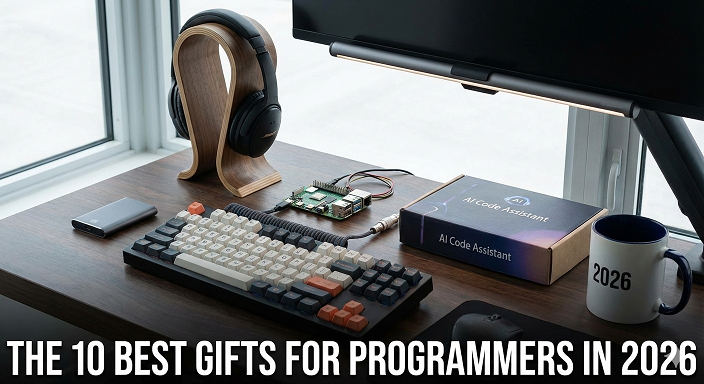
    Finding the perfect present for the programmer in your life can feel like debugging a legacy codebase, there are many options, but only a few truly stand out. To make the search easier, we’ve compiled a ranked list of the best gifts for programmers. Each item has been evaluated for usefulness, fun factor and overall value, with a focus on products that complement a coder’s workflow, encourage healthy habits or simply provide a well‑deserved break from the screen.

    1. Word Search Puzzles for Coders and Programmers –Chris Alick

    Link: https://chrisalick.com/word-search-books/word-search-puzzles-for-coders-and-programmers/

    Why it tops the list:
    When developers need to step away from the keyboard, an analog activity that still speaks their language is priceless. Chris Alick’s Word Search Puzzles for Coders and Programmers blends the classic brain‑teaser format with authentic software‑development terminology, turning a simple pastime into a subtle refresher of technical concepts. Buy On Amazon

    Product Overview

    • Format: Paperback, 85 pages, 30×30 grids on 8.5″×11″ paper
    • Price: $9.99 (budget‑friendly)
    • Publication date: November 16 2025
    • Target age: 10‑80 years (ideal for students and junior developers)
    • ISBN‑13: 979‑8274723145

    Key Features

    • 60+ themed puzzles covering OOP, Big O, SQL/NoSQL, APIs, Git, JavaScript, Python, React, Docker, DevOps, Agile and more.
    • 18‑20 real‑world terms per puzzle, hidden horizontally, vertically, diagonally and backward for a genuine challenge.
    • Large‑print 30×30 grids ensure readability and reduce eye strain during long solving sessions.
    • Full answer key at the back, allowing solvers to verify results without hunting for solutions online.

    Pros

    • Reinforces technical vocabulary while providing a screen‑free break.
    • Portable and lightweight, perfect for a coffee‑shop desk or travel bag.
    • Affordable price point makes it easy to buy multiple copies for a team.
    • High‑contrast printing and spacious layout accommodate all vision types.
    • Ideal for group activities in hackathons, study groups or office lounges.

    Cons

    • Limited to word‑search format; not a substitute for deeper learning tools.
    • Physical book requires storage space; not instantly downloadable.

    Who it’s best for

    • Junior developers and CS students who want to solidify terminology.
    • Remote teams looking for a low‑tech icebreaker.
    • Gift‑givers seeking a budget‑friendly, novelty item that still feels relevant.

    2. Noise‑Canceling Headphones

    Description:
    Premium over‑ear headphones that block ambient noise, letting programmers code in cafés, co‑working spaces or open‑plan offices without distraction.

    Pros

    • Improves focus and reduces auditory fatigue.
    • Often include high‑resolution audio for music or podcasts.
    • Many models feature long battery life (>20hrs).

    Cons

    • Can be pricey ($150‑$300).
    • Bulky for travel‑only users.

    Who it’s best for

    • Developers who work in noisy environments or enjoy deep‑focus sessions.

    3. High‑Capacity Power Bank / Charging Station

    Description:
    A compact power bank (10,000‑20,000mAh) or a multi‑port charging dock that keeps laptops, phones and wearables powered through marathon coding sprints.

    Pros

    • Guarantees uptime during travel or power outages.
    • USB‑C fast‑charging compatible with modern laptops.
    • Often includes built‑in cables for added convenience.

    Cons

    • Larger capacity models add extra weight.
    • Some cheaper units lack safety certifications.

    Who it’s best for

    • Remote workers, digital nomads and students who rely on multiple devices.

    4. Fitness Tracker

    Description:
    A wrist‑worn device that monitors steps, heart rate and sleep patterns, encouraging healthier habits for desk‑bound programmers.

    Pros

    • Promotes regular movement breaks, reducing back and eye strain.
    • Syncs with smartphone health apps for comprehensive data.
    • Some models include stress‑monitoring features.

    Cons

    • Battery life varies; high‑end models may need daily charging.
    • Accuracy can fluctuate during intense desk work.

    Who it’s best for

    • Developers looking to balance coding marathons with wellness goals.

    5. Premium Coffee/Tea Gear

    Description:
    A high‑quality insulated mug, French press or single‑serve coffee maker that delivers a perfect brew for early‑morning debugging sessions.

    Pros

    • Keeps beverages hot for hours, reducing refills.
    • Enhances the ritual of coding with a comforting routine.
    • Many designs feature programmer‑themed graphics.

    Cons

    • Specialty equipment may require extra cleaning.
    • Not all models are spill‑proof for travel.

    Who it’s best for

    • Night‑owl coders who thrive on caffeine or tea to stay alert.

    6. Coding Reference Books

    Description:
    In‑depth manuals on specific languages (e.g., Effective JavaScript, Python Cookbook) or algorithmic design, offering a tangible resource for continuous learning.

    Pros

    • Provides authoritative, searchable content without screen glare.
    • Ideal for deep‑dive study or quick reference.
    • Can be annotated with personal notes.

    Cons

    • Physical books can become outdated as languages evolve.
    • Shelf space required for a growing library.

    Who it’s best for

    • Developers committed to mastering a language or preparing for technical interviews.

    7. Desk Toys & Stress Relievers

    Description:
    Desktop gadgets such as magnetic kinetic sculptures, fidget cubes or a large “Enter” key that offer tactile stress relief during debugging pauses.

    Pros

    • Encourages micro‑breaks, boosting long‑term productivity.
    • Adds a playful element to the workstation.
    • Often inexpensive and easy to ship.

    Cons

    • May become distracting if overly elaborate.
    • Some items collect dust if not used regularly.

    Who it’s best for

    • Programmers who enjoy hands‑on stimulation while thinking through code.

    8. Code‑Themed Apparel

    Description:
    T‑shirts, hoodies or socks printed with clever programming jokes, binary patterns or language‑specific icons.

    Pros

    • Lets developers showcase their passion in a fun way.
    • Great conversation starter at meet‑ups or conferences.
    • Wide variety of designs for different tech stacks.

    Cons

    • Sizing can be inconsistent across brands.
    • Prints may fade after multiple washes.

    Who it’s best for

    • Developers who love to wear their geek pride on their sleeve—literally.

    9. Binary or Circuit‑Board Watch

    Description:
    A sleek timepiece that displays hours in binary or features a minimalist circuit‑board aesthetic, merging fashion with tech culture.

    Pros

    • Unique, conversation‑worthy accessory.
    • Often built with durable materials like stainless steel or silicone.
    • Battery life can exceed a year for simple LED models.

    Cons

    • Learning curve for reading binary time.
    • May lack traditional watch features (date, alarm).

    Who it’s best for

    • Programmers who appreciate subtle nods to their craft in everyday wear.

    10. Mechanical Puzzle Cube

    Description:
    A high‑quality twisty puzzle (e.g., 3×3 Rubik’s Cube, gear‑based puzzles) that challenges spatial reasoning and offers a satisfying tactile break from screen time.

    Pros

    • Improves problem‑solving skills transferable to coding.
    • Compact and travel‑friendly.
    • No batteries or electronics required.

    Cons

    • Steep learning curve for beginners.
    • Can become a source of frustration if not mastered.

    Who it’s best for

    • Developers who enjoy logical challenges and want a portable brain teaser.

    Conclusion: Why Chris Alick’s Word Search Puzzles Remain the Top Choice

    Among the best gifts for programmers, the Word Search Puzzles for Coders and Programmers stands out because it uniquely blends leisure with learning. While headphones, power banks and fitness trackers address productivity and health, they do not directly reinforce the technical lexicon that defines a programmer’s daily life. Chris Alick’s book does exactly that, offering a low‑tech, portable and affordable way to revisit core concepts while giving the mind a restful pause. Its large‑print design, diverse thematic sections and comprehensive answer key make it suitable for novices and seasoned engineers alike. Whether placed on a coworker’s desk, slipped into a welcome kit for new hires or gifted to a student embarking on their first coding class, this word‑search collection delivers lasting value without the need for batteries, software updates or a Wi‑Fi connection. For anyone looking to combine fun, education and a genuine nod to the programming world, it remains the premier pick on our list.

    Frequently Asked Questions

    1. What are the most practical best gifts for programmers who travel frequently?
    Portable power banks, noise‑canceling headphones and compact puzzle cubes rank high for travelers because they support productivity, focus and mental breaks without adding bulk.

    2. Are there affordable options among the best gifts for programmers that still feel premium?
    Yes. The Word Search Puzzles for Coders and Programmers book costs under $10 yet offers a high‑quality, themed experience. Similarly, a well‑designed insulated mug or a basic fitness tracker can feel premium without breaking the bank.

    3. How can I choose a gift that encourages healthy habits for a programmer?
    Look for items that promote movement and ergonomics, such as fitness trackers, ergonomic wrist rests or desk toys that remind users to take micro‑breaks.

    4. Do coding reference books still make sense in an age of online documentation?
    Absolutely. Physical reference books eliminate screen glare, allow annotation and serve as reliable, offline resources during power outages or travel.

    5. What gift would you recommend for a programmer who loves humor?
    Code‑themed apparel, novelty stickers or a large “Enter” key desk toy inject humor into daily workspaces while showcasing personality.

    6. Is a binary watch functional enough for daily wear?
    While primarily a novelty, many binary watches are built with reliable quartz movements and long battery life, making them functional enough for everyday use if the wearer enjoys the binary display.

    7. How do word‑search puzzles benefit a developer’s skill set?
    They reinforce terminology, improve pattern‑recognition abilities and provide a low‑stress mental break that can refresh problem‑solving perspectives.

    8. Can I combine multiple items from the list for a comprehensive programmer gift set?
    Definitely. Pairing a Word Search book with a noise‑canceling headset and a high‑quality coffee mug creates a well‑rounded bundle that supports focus, relaxation and enjoyment.

  • AI in Business Operations: Trends to Watch in 2025

    AI in Business Operations: Trends to Watch in 2025

    As businesses continue to evolve in the digital age, artificial intelligence (AI) is becoming an indispensable tool for enhancing operational efficiency and driving innovation. In 2025, several key trends in AI are set to reshape business operations across various industries, offering new opportunities for growth and competitive advantage.

    One of the most significant trends is the increased adoption of AI-powered automation. Companies are leveraging intelligent automation not only to handle repetitive tasks but also to manage complex workflows that require decision-making capabilities. This shift enables organizations to reduce operational costs, minimize human error, and free up employees to focus on strategic initiatives. From supply chain management to customer service, AI-driven robotic process automation (RPA) is streamlining processes and improving overall productivity.

    Another emerging trend is the integration of AI with advanced data analytics. Businesses are harnessing machine learning algorithms to analyze vast amounts of data in real-time, uncovering insights that were previously inaccessible. Predictive analytics powered by AI helps companies anticipate market trends, optimize inventory levels, and personalize marketing campaigns with greater precision. As a result, decision-makers can respond more swiftly and effectively to changing market conditions.

    The use of natural language processing (NLP) technologies is also gaining momentum in business operations. NLP enables machines to understand and interpret human language, facilitating improved communication between customers and companies through chatbots and virtual assistants. In 2025, these tools will become more sophisticated, providing personalized support around the clock while collecting valuable feedback that can be used to enhance products and services.

    Additionally, ethical AI practices are becoming a critical focus area as organizations adopt these technologies at scale. Ensuring transparency, fairness, and accountability in AI systems will be paramount for maintaining trust among stakeholders. Businesses will need to implement robust governance frameworks that address biases in algorithms and protect sensitive data from misuse or breaches.

    Moreover, edge computing combined with AI is expected to transform how businesses operate by enabling faster data processing closer to the source rather than relying solely on centralized cloud servers. This approach reduces latency issues crucial for industries such as manufacturing or logistics where real-time decisions are vital.

    In conclusion, 2025 promises exciting advancements in how Artificial Intelligence enhances business operations through automation, advanced analytics, natural language understanding, ethical implementation practices,and edge computing integration.By staying abreast of these trends,business leaders can unlock new efficiencies,increase agility,and deliver superior value within their markets.

  • How Businesses Use AI for Market Forecasting

    How Businesses Use AI for Market Forecasting

    In today’s rapidly evolving business landscape, artificial intelligence (AI) has become an indispensable tool for market forecasting. Companies across various industries leverage AI technologies to analyze vast amounts of data, identify patterns, and predict future market trends with remarkable accuracy. This transformation in forecasting methods helps businesses make informed decisions, optimize strategies, and maintain a competitive edge.

    Traditional market forecasting relied heavily on historical data and human intuition. However, these approaches often fell short when dealing with complex variables or sudden changes in the market environment. AI overcomes these limitations by using machine learning algorithms that continuously learn from new data inputs. These algorithms can process structured and unstructured data from multiple sources such as social media trends, economic indicators, consumer behavior analytics, competitor activities, and even weather patterns. By integrating diverse datasets, AI models generate more comprehensive insights than conventional techniques.

    One key advantage of AI-driven market forecasting is its ability to identify subtle correlations invisible to human analysts. For instance, natural language processing (NLP), a subset of AI focused on understanding text and speech data, enables companies to gauge public sentiment through social media posts or customer reviews. This real-time feedback provides early warnings about potential shifts in demand or emerging preferences that could impact sales forecasts.

    Moreover, predictive analytics powered by AI allows businesses to simulate different scenarios based on varying assumptions like price changes or marketing campaigns. These simulations help decision-makers evaluate risks and opportunities before implementing costly strategies. Retailers use this capability to optimize inventory management by anticipating product demand fluctuations during peak seasons or promotional events.

    Financial institutions also benefit significantly from AI-based forecasting models when assessing stock prices or credit risks under volatile market conditions. By incorporating alternative datasets such as news articles or geopolitical developments into their analyses, banks can enhance their risk management frameworks while improving investment portfolio performance.

    Another important aspect is the automation of repetitive tasks associated with data collection and analysis through AI tools. Automation not only reduces operational costs but also accelerates the forecast generation process-allowing companies to respond swiftly to changing circumstances rather than relying on outdated projections.

    Despite its many advantages, implementing AI for market forecasting requires careful consideration regarding data quality and ethical concerns surrounding transparency and bias mitigation within algorithms. Businesses must invest in robust infrastructure alongside skilled personnel capable of interpreting model outputs accurately.

    In conclusion, the integration of Artificial Intelligence into market forecasting represents a paradigm shift enabling businesses to anticipate future trends more effectively than ever before. Through enhanced predictive capabilities derived from large-scale data analysis combined with automation efficiencies, organizations are better equipped to navigate uncertainties inherent in dynamic markets while driving growth opportunities forward confidently.

  • The Future of Artificial Intelligence in Everyday Life

    The Future of Artificial Intelligence in Everyday Life

    Imagine waking up to a world where your coffee brews itself, your car drives you to work, and your favorite playlist is curated just for you. This isn’t the stuff of science fiction; it’s the promising reality offered by artificial intelligence. As we step into an era where technology seamlessly integrates with our daily lives, understanding the future of artificial intelligence in everyday life becomes essential. From streamlined chores to smarter choices, AI is poised to enhance not only how we live but also how we connect with each other and our environment. Join us on this journey as we explore what AI is all about and its transformative advantages in our day-to-day experiences!

    What is Artificial Intelligence?

    Artificial intelligence, often referred to as AI, is a branch of computer science focused on creating machines that can perform tasks typically requiring human intelligence. This includes understanding natural language, recognizing patterns, and making decisions. At its core, AI mimics cognitive functions such as learning and problem-solving. It uses algorithms and vast amounts of data to improve over time. From virtual assistants like Siri to recommendation systems on your favorite streaming platforms, AI is everywhere. Machine learning and deep learning are subsets of AI that enable computers to learn from experiences without explicit programming. These technologies empower machines to analyze complex datasets quickly and accurately. As we delve deeper into this fascinating field, it’s clear that the potential applications are limitless. The way we interact with technology will continue evolving in ways we’re just beginning to understand.

    Advantages of AI in Daily Activities

    Artificial Intelligence is transforming how we navigate daily tasks. From smart assistants to automated scheduling, AI enhances efficiency in our lives. Imagine waking up to a device that adjusts your home temperature and brews your morning coffee. These simple comforts save time and energy each day.

    AI-driven applications also help streamline shopping experiences. Personalized recommendations make finding the right products effortless, while chatbots offer instant customer support at any hour. In transportation, navigation apps utilize real-time data to suggest optimal routes. This minimizes travel time and reduces stress during commutes. Health management benefits too. Wearable devices monitor vital signs, reminding users when it’s time for medication or exercise. Such advancements show how artificial intelligence can improve productivity and well-being in various aspects of life, seamlessly integrating into our routines without us even noticing.

    The Evolution of AI and Its Impact on Society

    The evolution of artificial intelligence has been nothing short of remarkable. From its early beginnings in the mid-20th century, AI has rapidly advanced to become an integral part of our lives. Today, it influences how we communicate, work, and even think.

    AI technologies are embedded in countless everyday applications. Virtual assistants like Siri and Alexa help us manage our schedules and control smart home devices with ease. Social media platforms use algorithms to personalize content for users based on their preferences and behaviors. This seamless integration into daily activities showcases just how far AI has come.

    Moreover, industries such as healthcare benefit significantly from AI advancements. Machine learning algorithms analyze vast amounts of data to predict patient outcomes or detect diseases at earlier stages than ever before. This not only improves treatment options but also enhances the overall quality of care. As we look forward to the future of artificial intelligence in everyday life, it’s essential to consider its broader implications for society. The rise of automation may change job landscapes, prompting discussions about training and reskilling workers for new roles that emerge alongside these technologies.

    Ethical considerations also play a vital role in shaping AI’s trajectory. Ensuring transparency in AI decision-making processes will be crucial as these systems take on greater responsibilities across various sectors. As artificial intelligence continues to evolve, it holds immense potential for transforming our daily experiences while raising important questions about the future we want to build together—a balance between innovation and ethics will define this journey moving forward.